All projects

DESIGN SYSTEM / CONVERSATIONAL EXPERIENCES · 2023–2024
Smarters
A system for designing and evolving conversational experiences.
I led the system’s structure with the Product/Conversation Design team. We connected research, standards, documentation and automation to turn fragmented files into a shared working reference across seven teams.
EXECUTION / DESIGN TEAM
≈30
%

Less execution time for off-the-shelf products
Design team · 7.4 h → 5.2 h · Monday average
TRAINING
33.3
%

Less training time
15 → 10 business days · 3 → 2 weeks
ADOPTION
7
/7

Teams using Figma as a reference
7 of 7 teams · Figma as the source of truth

ROLE
Lead Product Designer

PERIOD
January 2023–January 2024

TEAM
Product/Conversation Design team

01 / CONTEXT
The files grew. So did the effort of working together.
Work that needed interpreting at every handoff
Teams organised Figma files differently. Fragmented layouts, difficult navigation and inconsistent deliverables increased the effort needed to produce and continue a conversational journey.
My responsibility
As Lead Product Designer, I led the system’s structure with the Product/Conversation Design team: research, component standards, documentation and reviews. We built assets and automation tools collaboratively.
02 / RESEARCH
One system. Different ways of reaching it.
Interviews, surveys and observation of workflows revealed three areas to guide the system.
Structure
Files organised in different ways required fresh interpretation at every handoff.
Familiarity
Experienced, intermediate and beginner users needed to use and contribute to the same system.
Repetition
Navigation, links and multilingual assets involved recurring manual work.
INVESTIGATION AND PROFILES
Methods and user profiles
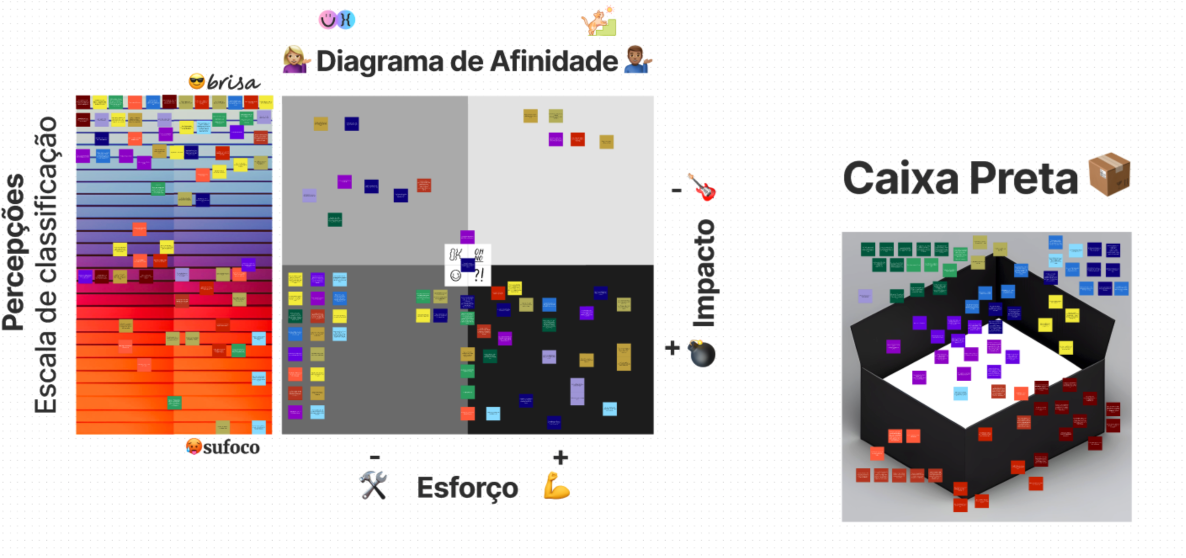
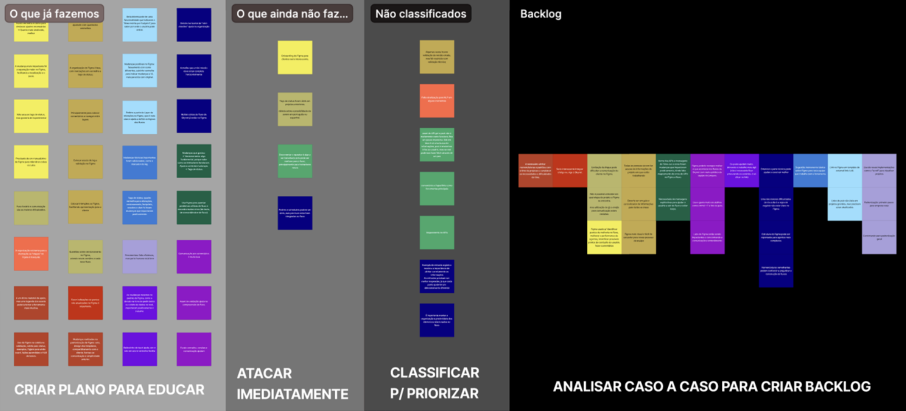
Goals and hypotheses guided interviews, surveys and observation. Empathy maps, affinity grouping and personas helped translate findings into decisions for the system.
The three profiles kept different levels of familiarity with the tool in view. The challenge was to help these people consult, use and contribute to the same system. Original persona artifacts are in Portuguese.
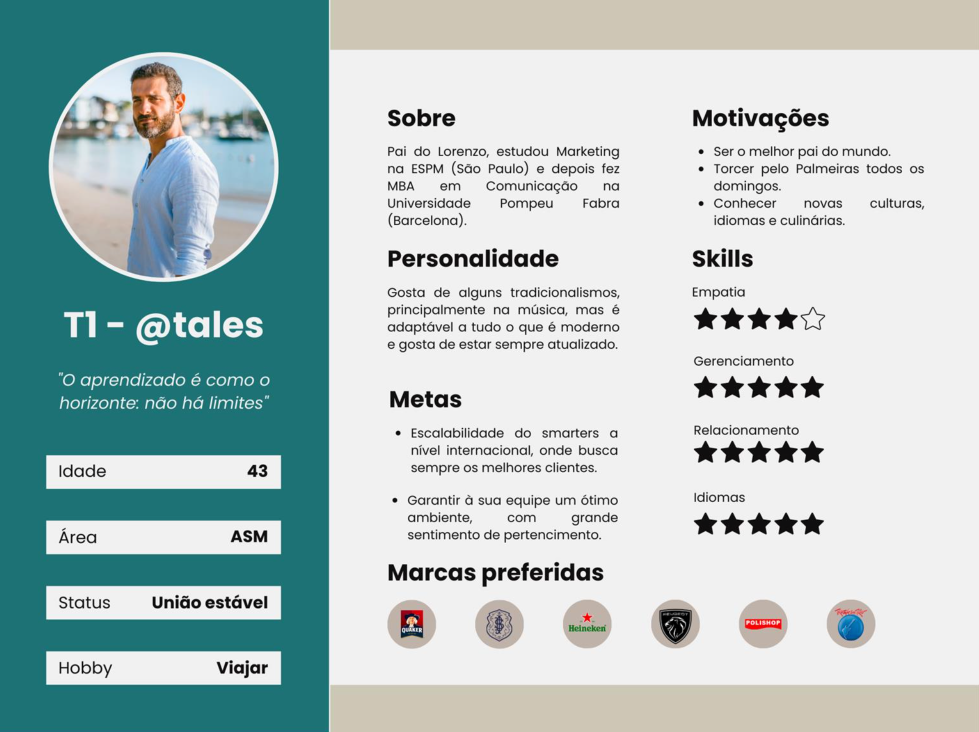
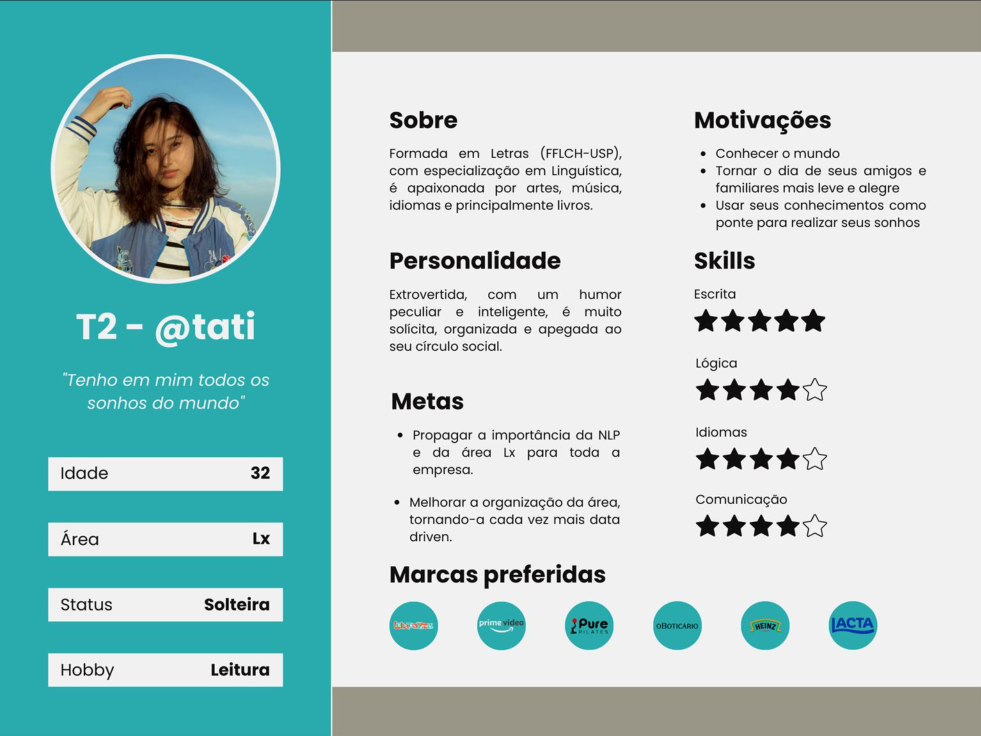
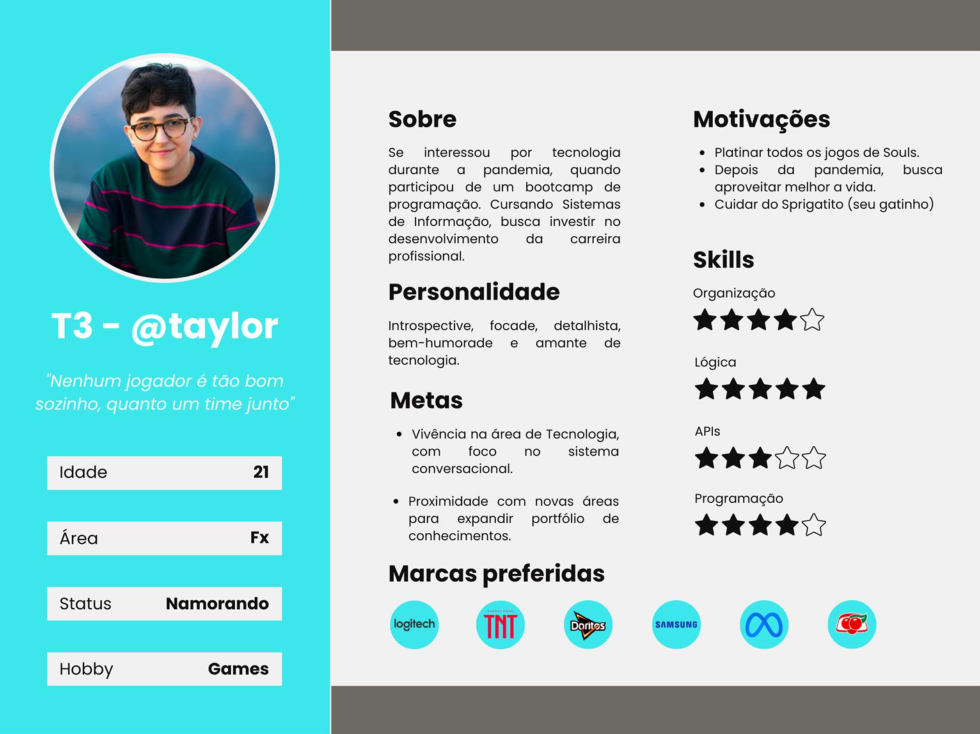
From research to decisions
Fragmented file structures informed the shared language for journeys. Different levels of familiarity reinforced the need for documentation alongside components. Repetitive tasks guided the navigation, guidance and automation tools. The system’s construction therefore responded to the way teams worked.
03 / DECISION 1
Create a shared language for journeys.
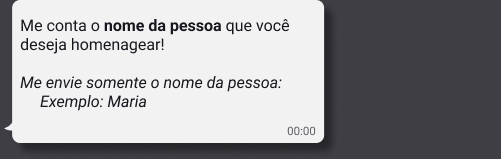
We adopted the what you see is what you get (WYSIWYG) principle: emulating the WhatsApp interface for the conversation while keeping technical assets clearly connected to the part of the journey they described.
WHAT THE PERSON SEES

Conversational layer
Messages, choices and sequence emulated WhatsApp, making it possible to walk through and review the experience in a recognisable format.
WHAT GUIDES IMPLEMENTATION

Technical layer
Assets connected to the conversation made conditions and routing explicit. Monospaced type distinguished the specification; colours identified the responsible team.

Original examples from the same Figma flow: the message and the rules guiding what happens next. Artifacts in Portuguese.
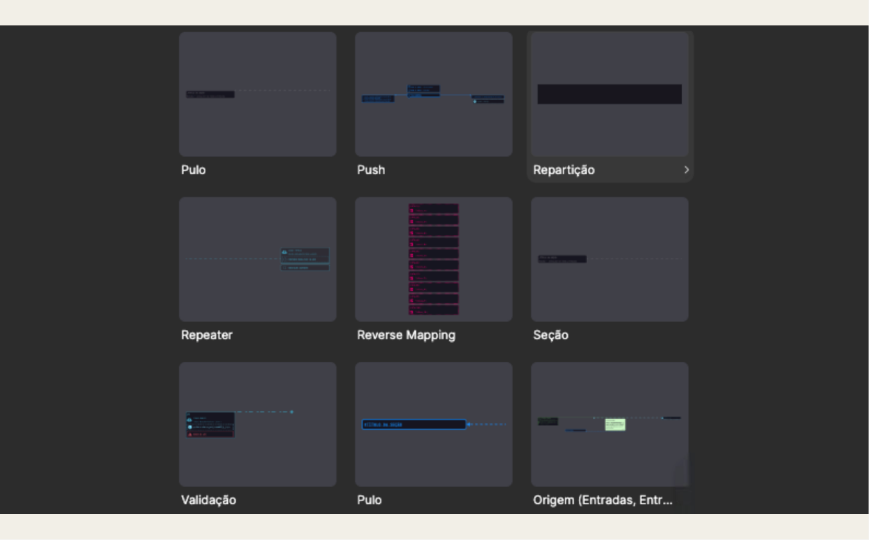
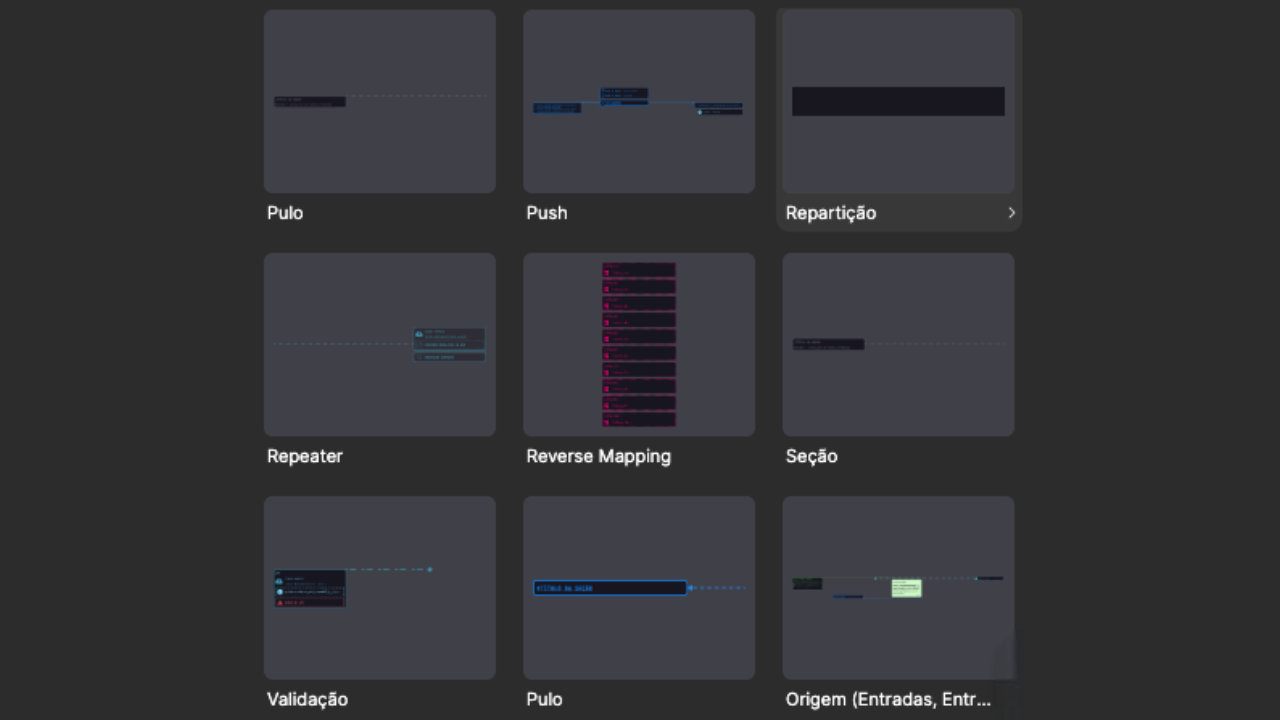
We defined a language for locating steps, understanding conditions and continuing someone else’s work. A Division identifies a journey section with _; a Jump uses # and repeats the destination’s name. This connects what someone reads in the file to where the conversation should go next.
Variants with one, two or three options describe the available choices. Validation and Jump components specify the condition and destination. System markers also distinguish waiting for the person, waiting for an API and ending the interaction.
_nome homenagem#nome homenagemEditorial summary of the naming convention. The name stays the same; the prefix identifies its role.


04 / DECISION 2
Make validation and recovery part of the experience.
Making exceptions visible was an experience decision. In Reels Dump, the person enters the name of someone they want to celebrate. The Figma specification identifies three validation exits: valid name, invalid name and Max Error — the handling applied after the error limit set for that flow is reached.
When the input is invalid, the message explains what to correct and the Jump points back to name entry. Recovery belongs to the same specification as the expected path.
01 Request the input
02 Specify the exits
03 Guide the correction
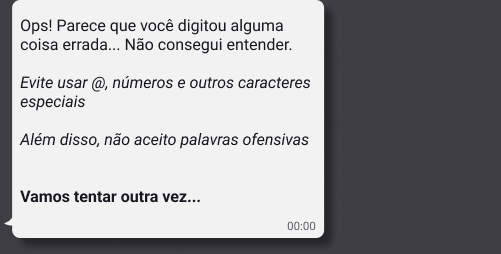
The validation outcome determines the next step
- Valid name
- Positive exit identified in the Validation component.
- Invalid name
- Explain the correction and point back to
_nome homenagem, the name-entry step. - Max Error
- Apply the specified exit after the error limit. In this example, the message asks the person to try again later.
View the full recovery excerpt and Max Error
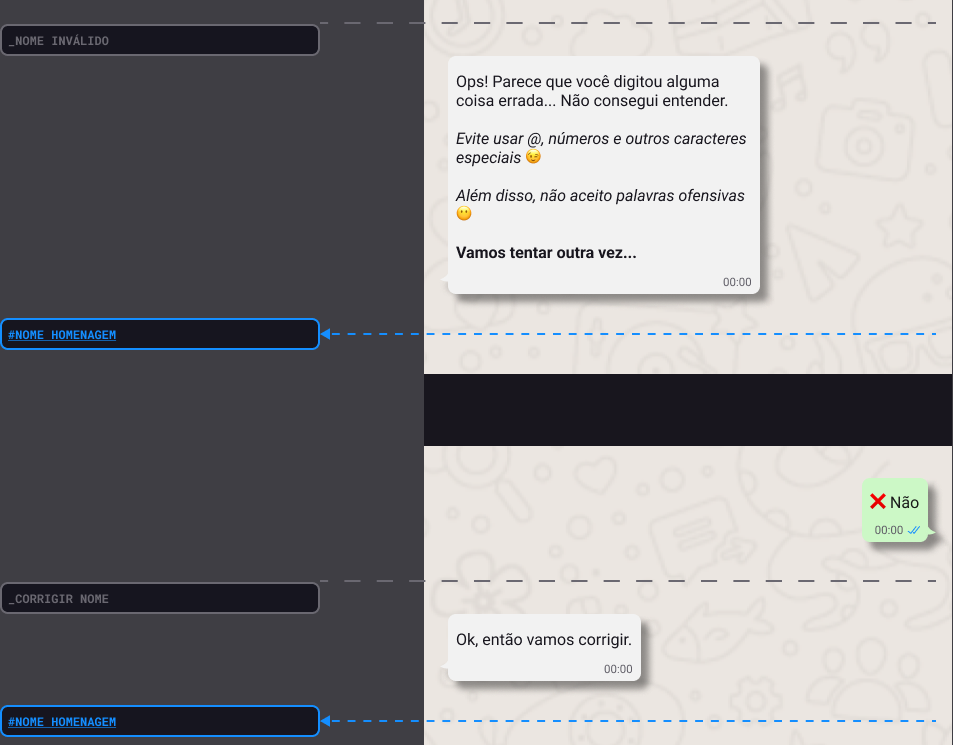

Restore the context as well as explain the error
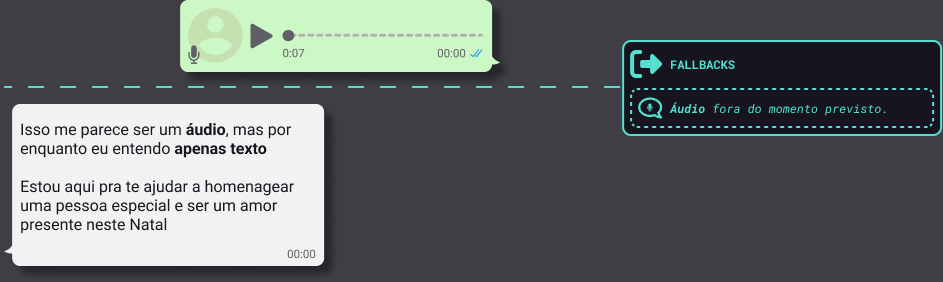
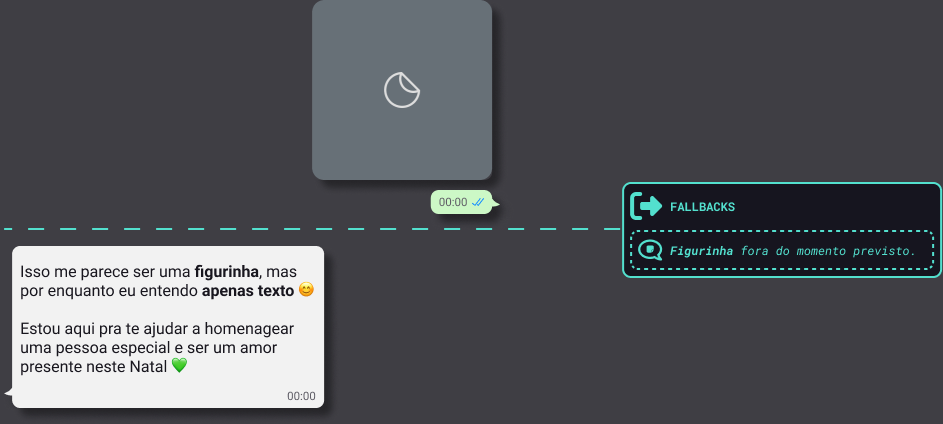
A fallback guides someone after an unexpected input. In this flow, audio and stickers sent at the wrong moment trigger messages that explain the accepted input and return to the purpose of the conversation.
The documentation requires a System section covering API errors, fallbacks, Max Error and other necessary scenarios. Reviewing that coverage is part of completing the task.
05 / DECISION 3
Bring guidance and maintenance into everyday work.

Consult in context
Components and guidance in the side panel, close to the point of use.
Review a shared rule
Design reviews, shared terminology and implementation references give teams concrete ways to discuss conditions and destinations.

Prepare navigation
Before external validation, check current links, return paths and system messages; then present relevant flows through a navigable prototype.
How the system connected Design, Integrations and Data
Technical references alongside the experience
ChatFx validations identified the corresponding Skynet flow. API components required alignment with Integrations/FlowDev, the API name, documentation and links to error sections. The Figma representation therefore pointed to the implementation context.
The media and video-generation example specifies API errors and timeouts, an error record and a message asking the person to try again later. These definitions sit alongside the expected user experience.
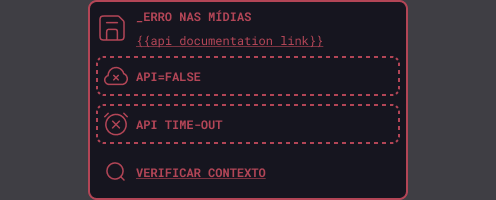

Records defined with Data
The Logs component states that types and values are mapped by Dx, the Data team. Its guidance calls for individual records and attention to events shared across options or specific to one choice. In this example, apiError = {{API}} identifies the intended error record.
Keep changes and versions traceable
The Adjustment component combines a change summary with an indication that it has been implemented in Staging or production. The versioning example links a version, a flow reference and a Monday task: a structure for finding the change and its related work.

< 06 > RESULTS
Less execution time. One reference for seven teams.
OFF-THE-SHELF PRODUCTS / MONDAY AVERAGE
Design team execution time
Before · 7.4 h
After · 5.2 h
≈ −30%
Before and after the Design System: the Design team’s average execution time for off-the-shelf products, recorded in Monday.
TRAINING / BUSINESS DAYS
Training
Before · 15 business days
After · 10 business days
−33.3%
3 weeks → 2 weeks · before and after the DS
Execution for off-the-shelf products: the Design team’s average recorded in Monday, from 7.4 h to 5.2 h (≈30%). Training: from 15 to 10 business days (33.3%), or three to two five-day weeks. Adoption: seven teams using Figma as their working reference.
SHARED REFERENCE
One official reference
All seven teams adopted Figma as the source of truth.
- Conversational Design
 Data
Data- Development
 Natural Language
 Integrations
 Projects
 Customer Success
COLLABORATION

Refinement with the teams
Design reviews incorporated the needs and perspectives of everyday work.
PRESENTATION
Clearer delivery
Client presentations shifted toward navigating the relevant flows.
The results accompanied a change in how teams worked: reusing standards, finding guidance and learning from a shared reference.
Keep exploring
View Turn2C case
View Time Brasil case
View i.agora case
All projects